Barcodes are everywhere.
Barcodes are becoming one of the most significant technologies in modern business. They are used on everything from shipping labels and products in stores to inventory in warehouses and packaging for online stores.
The best part?
You don’t need to buy pricey software or set up intricate processes to make them anymore.
Anyone can make professional barcodes online in seconds with a Free Barcode Generator 2026. This is true whether you own a small business, an online store, a logistics company, or a retail store.
Today’s modern barcode maker tools can:
- Generate retail product barcodes
- Create shipping and warehouse labels
- Build inventory tracking systems
- Export high-quality barcode images
- Support multiple barcode formats
- Work directly from your browser
This tutorial for beginners to experts will teach you all you need to know about barcodes, including how they work, how to make barcodes for free online, the best barcode generator tools in 2026, how to size barcodes, how to print them correctly, frequent problems, and advanced optimization tactics.
Table of Contents
- What Is a Barcode?
- How Barcode Systems Work
- Why Businesses Use Barcodes
- Types of Barcodes Explained
- 1D vs 2D Barcodes
- How to Create Barcodes Online for Free
- Barcode Use Cases by Industry
- Barcode Sizing & Print Quality
- How Barcode Scanning Works
- Tips for Creating Scannable Barcodes
- Choosing the Right Barcode Format
- Common Barcode Mistakes & Fixes
- Barcode Security & Data Accuracy
- Advanced Barcode Tips for Businesses
- Future of Barcode Technology
- Final Thoughts
- FAQs
What Is a Barcode?
A barcode is a visual code that machines can read. It contains information using lines, shapes, or patterns.
Barcode scanners, smartphones, and point-of-sale (POS) systems may all scan barcodes to get information right away.
Most barcodes contain information like:
- Product numbers
- Inventory IDs
- Pricing data
- Shipping details
- Website links
- Tracking information
Modern businesses rely heavily on barcode systems for speed, automation, and accuracy.
How Barcode Systems Work
Barcode systems work through three main components:
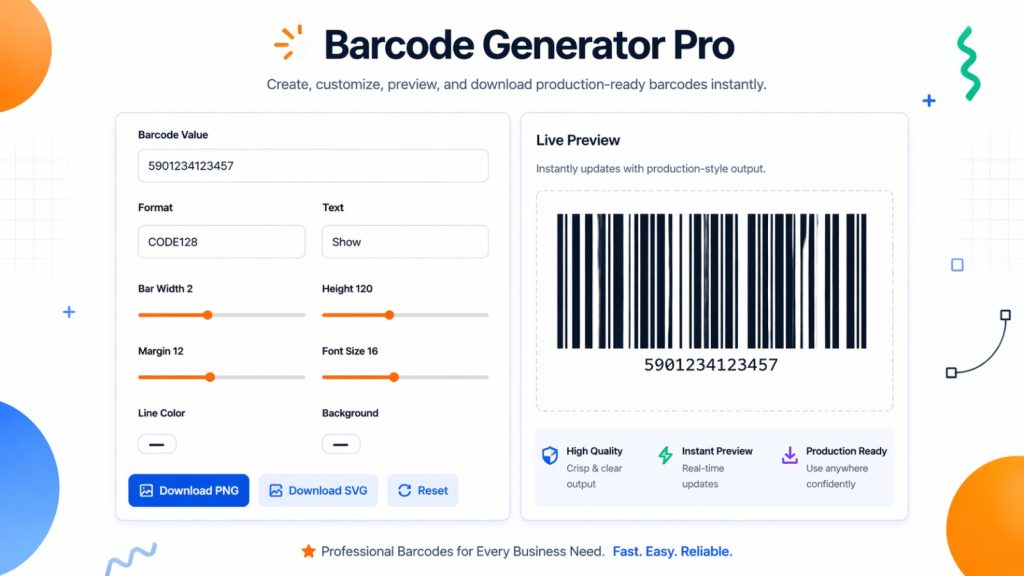
1. Barcode Creation
A free online barcode generator tool creates a visual barcode pattern from entered data.
For example:
- Product code
- SKU number
- Website URL
- Serial number
2. Barcode Printing
The barcode is printed on:
- Product packaging
- Shipping labels
- Warehouse bins
- Receipts
- Inventory tags
3. Barcode Scanning
A scanner reads the barcode and converts it back into readable data.
This information is then processed by:
- POS systems
- Inventory software
- Shipping platforms
- Warehouse management systems
Why Businesses Use Barcodes
Barcodes make operations much more efficient.
Main Benefits of Barcode Systems
Faster Checkout
Stores scan items right away.
Better Inventory Tracking
Businesses keep a close eye on their stock levels.
Reduced Human Errors
Scanning stops people from making mistakes when they enter data by hand.
Improved Warehouse Management
It’s easy to find and keep track of products.
Easier Shipping & Logistics
Shipping businesses use barcode labels to keep track of things.
Better Product Organization
Barcodes make it easier to manage a catalog.
Types of Barcodes Explained
Different types of barcodes are used in different fields.
Understanding the different sorts of barcodes can help you pick the proper one.
UPC Barcode
The Universal Product Code is what UPC stands for.
Best For
- Retail stores
- Supermarkets
- Consumer products
Features
- 12-digit format
- Common in the United States
- Used in POS systems
UPC barcodes are among the most recognized barcode types worldwide.
EAN Barcode
The European Article Number (EAN) is what it stands for.
Best For
- International retail products
- Global product sales
Features
- 13-digit format
- International compatibility
- Widely accepted worldwide
Code 128 Barcode
Code 128 is highly versatile.
Best For
- Shipping labels
- Logistics
- Warehouses
Features
- High-density encoding
- Supports letters and numbers
- Excellent accuracy
Code 39 Barcode
One of the oldest barcode standards is Code 39.
Best For
- Manufacturing
- Inventory systems
- Government applications
Features
- Simple structure
- Easy scanning
- Supports text and numbers
QR-Related Barcode Formats
In a technical sense, QR codes are 2D barcodes.
Best For
- Websites
- Payments
- Marketing campaigns
- Digital menus
Features
- Stores large amounts of data
- Smartphone compatible
- Error correction support
1D Barcodes vs 2D Barcodes
Understanding the difference is important.
| Features | 1D Barcode | 2D Barcode |
| Appearance | Lines | Squares/Patterns |
| Data Capacity | Low | High |
| Scanning | Laser Scanner | Cameras & smartphones |
| Speed | Fast | Very fast |
| Common Types | UPC, EAN, Code 39 | QR Code, Data Matrix |
| Best Use | Retail products | Digital information |
How to Create Barcodes Online for Free
Creating barcodes in 2026 is incredibly easy.
Here’s a beginner-friendly step-by-step guide.
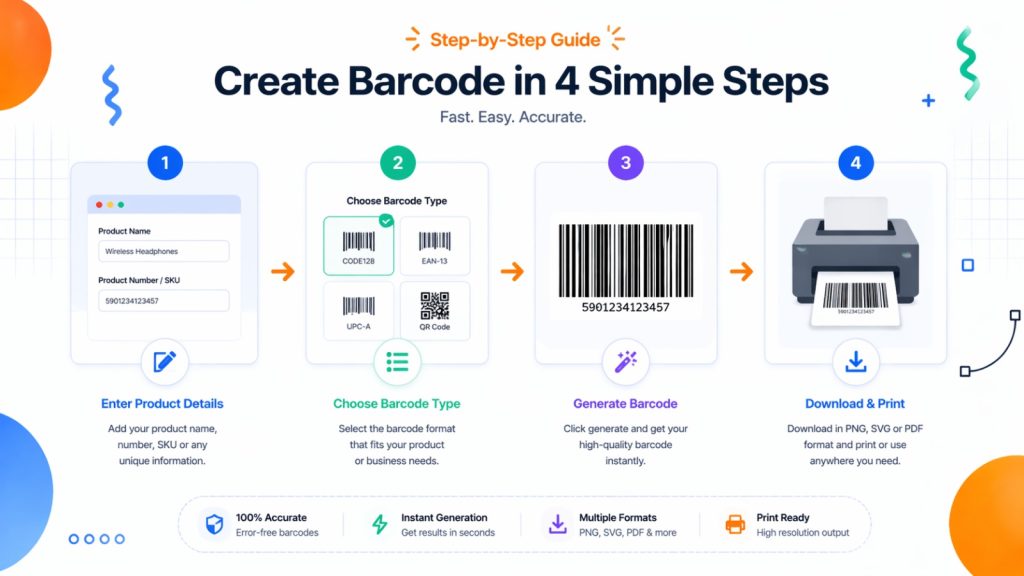
Step 1: Choose a Barcode Generator Tool
Select a trusted free barcode creator.
Look for tools that support:
- Multiple barcode types
- PNG/SVG export
- Custom sizing
- High-resolution downloads
Step 2: Select Barcode Type
Choose the format you need:
- UPC
- EAN
- Code 128
- Code 39
- QR Code
Step 3: Enter Your Data
Add the information you want encoded.
Examples include:
- Product numbers
- SKU codes
- URLs
- Tracking numbers
Step 4: Customize the Barcode
Many barcode maker tools allow customization.
You can adjust:
- Size
- Colors
- Label text
- Resolution
- Margins
Step 5: Generate Barcode Online
- Press the button to make it happen.
- The barcode shows up right away.
Step 6: Download & Print
Export the barcode in formats like:
- PNG
- JPG
- SVG
Real-World Barcodes Use Cases
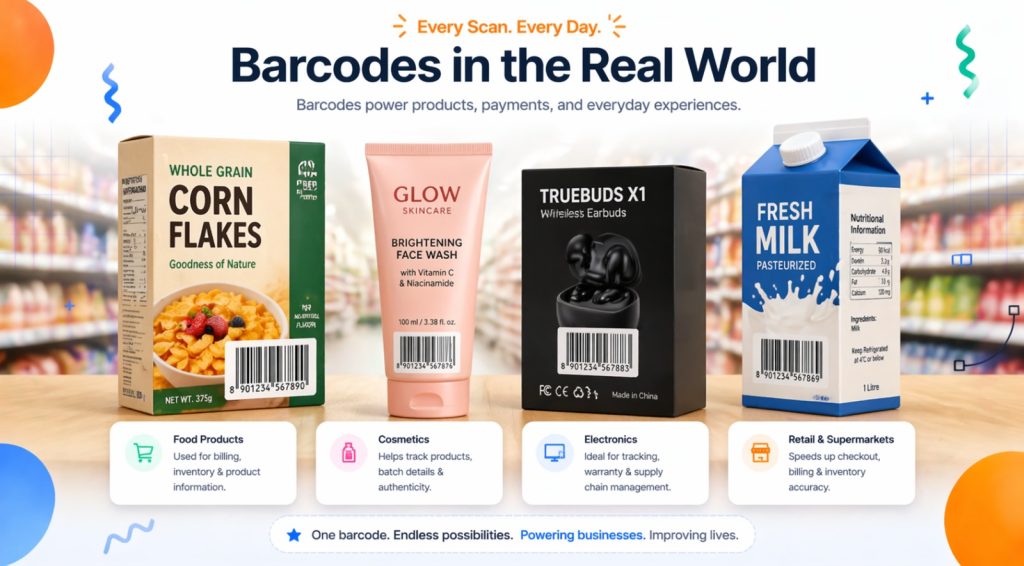
Retail Barcodes
Barcode systems are very important to stores.
Common Uses
- Product pricing
- Checkout systems
- Stock management
- Shelf labeling
UPC and EAN barcodes dominate retail environments.
Inventory Management Barcodes
Inventory tracking becomes far easier with barcodes.
Benefits
- Real-time stock updates
- Faster warehouse operations
- Reduced stock errors
- Improved organization
Code 128 is especially popular for inventory systems.
Shipping Labels & Logistics
Shipping companies use barcodes for tracking and automation.
Common Barcode Uses
- Tracking packages
- Delivery confirmation
- Warehouse routing
- Courier scanning
Logistics businesses often use Code 128 barcodes.
Product Packaging Barcodes
Modern packaging almost always includes barcodes.
Benefits
- Easier product identification
- Faster checkout
- Professional branding
- Global retail compatibility
Warehouse Barcode Systems
Warehouse barcodes help automate operations.
Uses Include
- Shelf tracking
- Bin management
- Product location systems
- Automated scanning
Large warehouses may process thousands of barcode scans daily.
eCommerce Store Barcodes
Online sellers use barcodes for inventory and fulfillment.
Popular Uses
- Amazon FNSKU labels
- Shopify inventory
- Product packaging
- Order tracking
Barcode Sizing & Print Quality
Barcode quality directly affects scan success.
Ideal Barcode Sizing Tips
Avoid Tiny Barcodes
Scanning might not work for little codes.
Use high resolution.
For printing, 300 DPI is best.
Leave Quiet Zones
Adding white space around the barcode makes it easier to read.
Maintain Proper Contrast
White backgrounds with black bars work best.
How Barcode Scanning Works
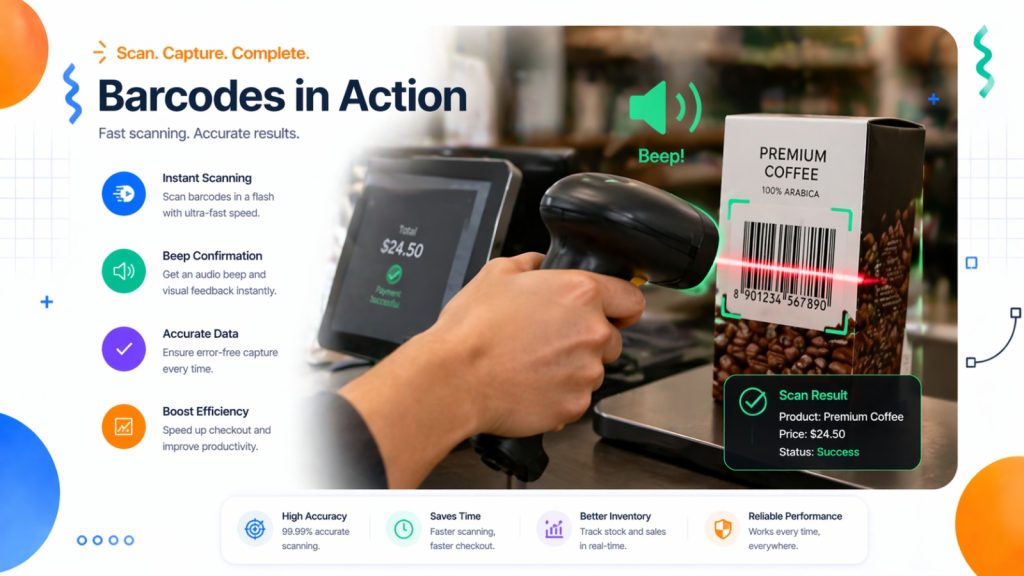
Scanners read reflected light patterns.
Process Overview
- Scanner shines light
- Dark bars absorb light
- White spaces reflect light
- Scanner converts patterns into data
2D scanners use image sensors instead of lasers.
Tips for Creating Scannable Barcodes
Use high contrast.
Stay away from light hues.
Choose the correct barcode size
Scan failures happen when the size is wrong.
Avoid Distorted Printing
Stretching barcodes makes them harder to read.
Test Before Mass Printing
Always look at the test labels first.
Use Vector Formats
When you resize SVG files, they stay high quality.
Choosing the Right Barcode Format
Different situations require different formats.
| Use Case | Recommended Barcode |
| Retail Products | UPC/EAN |
| Inventory | Code 128 |
| Shipping | Code 128 |
| Manufacturing | Code 39 |
| Websites & Marketing | QR Code |
Common Barcode Mistakes & Troubleshooting
Mistake 1: Low Print Quality
Fix
Print with printers that have a lot of detail.
Mistake 2: Wrong Barcode Format
Fix
Choose the right type of barcode for your business.
Mistake 3: Poor Contrast
Fix
Put dark bars on light backgrounds.
Mistake 4: Damaged Quiet Zones
Fix
Leave space around barcodes.
Mistake 5: Overcrowded Data
Fix
Don’t encode information that isn’t needed.
Barcode Security & Data Accuracy
Barcode systems need to be accurate and safe.
Best Practices
Validate Data Before Printing
Wrong product IDs cause problems with inventory.
Use Consistent SKU Systems
Product codes that are well-organized make things less confusing.
Backup Barcode Databases
Stop losing data.
Avoid Duplicate Barcodes
Unique codes make it easier to keep track of things.
Advanced Barcode Tips for Businesses
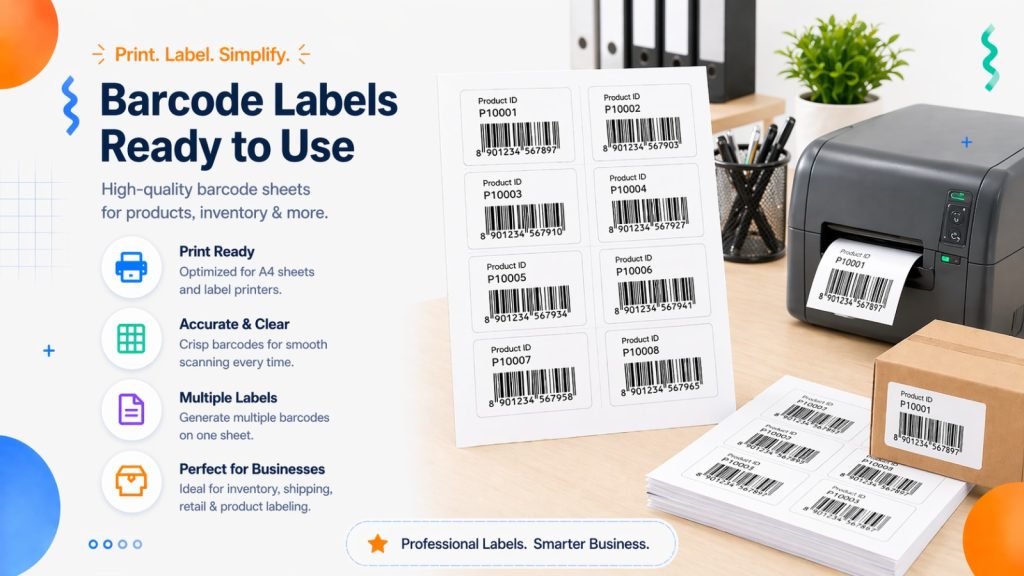
Use Batch Barcode Generation
Make hundreds of barcodes all at once.
Integrate with Inventory Software
Automation makes things work better.
Standardize Barcode Placement
Scanning is faster when the position is consistent.
Use Durable Labels
Keep barcodes safe from harm.
Future of Barcode Technology
Barcode systems continue evolving in 2026.
Emerging Trends
- AI-powered barcode recognition
- Smart inventory systems
- Mobile barcode scanning
- Dynamic QR codes
- Cloud-connected warehouses
Many businesses are also combining barcodes with RFID technology for advanced tracking.
Final Thoughts
One of the easiest ways to make your business more organized, keep track of your inventory, send things faster, and handle your products better is to use a free barcode generator 2026 tool.
Whether you want to:
- create barcode free online
- generate barcode online instantly
- build barcode labels for products
- manage warehouse inventory
- create professional shipping labels
Modern free online barcode generator software make the process quite easy.
The most important things are picking the proper type of barcode, making sure the print quality is good, and verifying the readability before putting it into use.
As barcode technology keeps becoming better in 2026, firms that use efficient barcode systems will save time, make fewer mistakes, and get a lot more done.
Now is the best moment to add barcode systems to your workflow if you haven’t already.
Frequently Asked Questions
What is the best free barcode generator in 2026?
Some of the better tools are the TEC-IT Barcode Generator, the Shopify Barcode Generator, and the OnlineLabels Barcode Creator.
Can I create barcodes online for free?
Yes. There are a lot of free internet tools that let you make and download barcodes.
What kind of barcode should I use for items sold in stores?
For store and grocery store items, UPC and EAN barcodes are the most popular types.
What is the difference between QR codes and traditional barcodes?
QR codes are 2D and can hold a lot more information than traditional barcodes, which are 1D and can only hold a small amount of data.
Why won’t my barcode scan properly?
Some common explanations are bad print quality, low contrast, wrong size, or broken silent zones.
What file format is best for printing barcodes?
SVG and high-resolution PNG files are the best since they keep their quality when printed.
Are online barcode generators safe to use?
Yes, most of the time, reliable barcode maker instruments are safe. But you should always check to be sure the data is correct before printing a lot of copies.